November 10, 2026
Quick answer
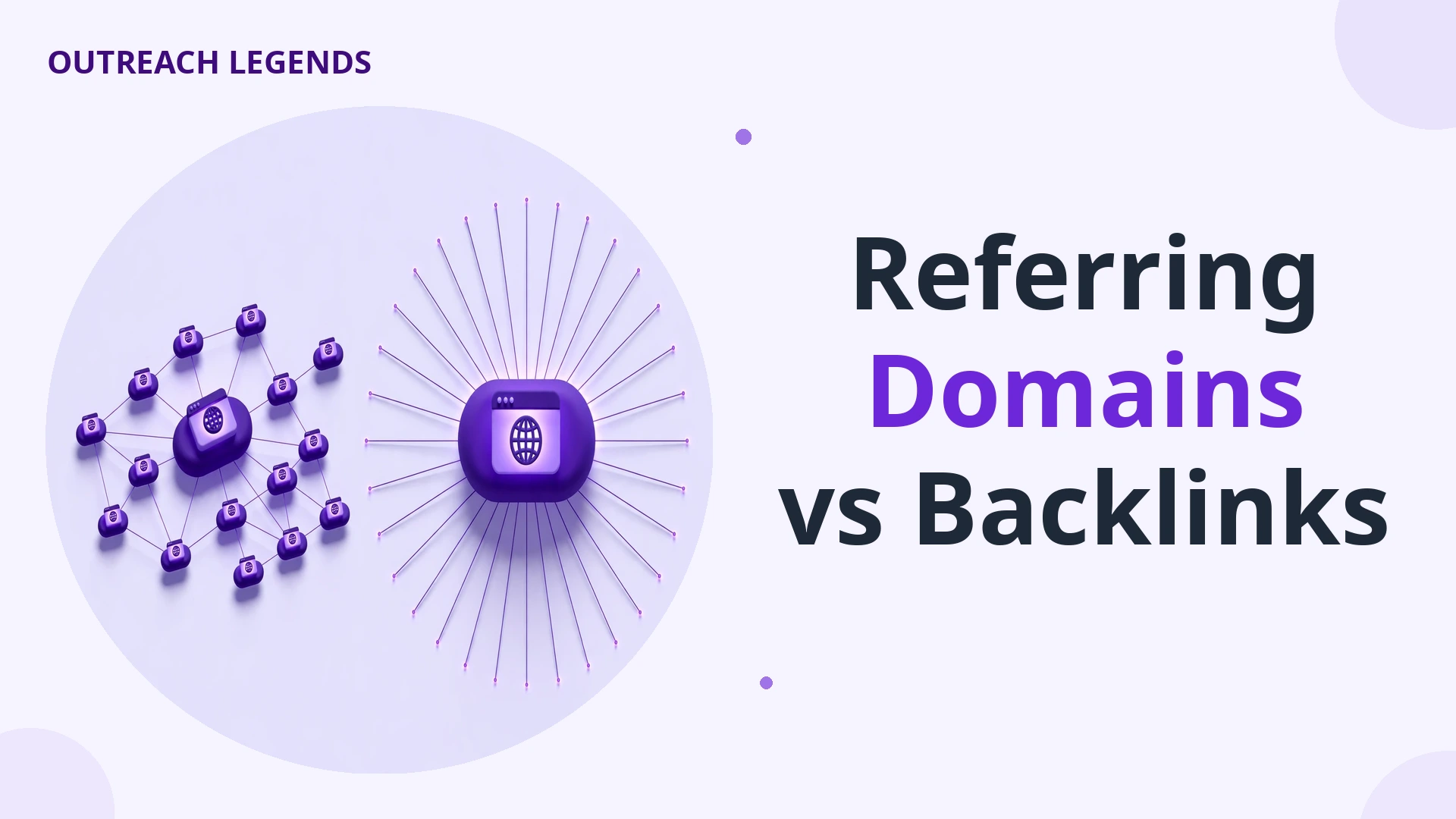
A backlink is one individual link from another website to your site. A referring domain is one unique website that links to your site, no matter how many links it sends.
If one website links to you from 20 different pages, you have 20 backlinks and 1 referring domain. If 20 different websites each link to you once, you have 20 backlinks and 20 referring domains.
Referring domains are usually the more useful number. They show how many independent websites vouch for you.
Backlinks still matter. They show the volume and the placement of those links. This post explains when each number matters, how to read both together, and how to grow them.
What is a backlink?
A backlink is a single hyperlink from a page on another website to a page on your site. It is the basic unit of link building.
One article can hold several backlinks to you. Each one counts separately.
If a blog post links to your homepage once and to your pricing page once, that is two backlinks from one page. If the same site links to you from ten different articles, that is ten backlinks from one site.
Backlinks are easy to count. Every SEO tool reports a total backlink count for any site or page.
That count is useful for spotting patterns. A sudden jump in backlinks can mean a new campaign worked, or a sitewide link appeared, or a spam attack started.
Our first post explains what backlinks are in full. It covers how they work, why Google values them, and what a link looks like in practice.
What is a referring domain?
A referring domain is one unique website that links to your site. Count each domain once, however many links it sends.
If a newspaper links to you from three different articles, you have three backlinks and one referring domain. If three different newspapers each link to you once, you have three backlinks and three referring domains.
The domain is the website itself. Subdomains usually count as part of the same domain in most tools, but the exact rule varies by tool, and we cover that below.
A referring domain is a count of sources. It answers one question: how many independent websites chose to link to you?
That is why it is harder to grow than a backlink count. A new backlink can come from a site that already links to you. A new referring domain always needs a new site.
Referring domains vs backlinks: the table
| Feature | Backlinks | Referring domains |
|---|---|---|
| What it counts | Every individual link to your site | Each unique website linking to you, counted once |
| One site, 20 links | 20 backlinks | 1 referring domain |
| 20 sites, 1 link each | 20 backlinks | 20 referring domains |
| Easy to inflate? | Yes, one sitewide link can add thousands | Much harder, each one needs a new site |
| Best used for | Spotting placements, sitewide links, and sudden changes | Measuring breadth, diversity, and real growth |
| Main weakness | Volume hides how few sources you have | Count hides quality, a domain can be weak or spammy |
| Where to check it | Ahrefs Backlinks report, Search Console Links report | Ahrefs Referring domains report, Search Console Top linking sites |
Read the table once more. The two numbers describe the same profile from two angles.
Backlinks describe volume. Referring domains describe breadth. Neither number alone tells the full story.
The same 100 backlinks, two very different profiles

Imagine two websites. Both show 100 backlinks in Ahrefs. On paper, they look equal.
Site A earned its 100 backlinks from 80 different websites. Most sites linked once. A few linked twice.
Site B earned its 100 backlinks from 4 websites. One forum linked 50 times. A directory linked 30 times.
Two blogs linked 10 times each.
Site A has 80 referring domains. Site B has 4. The backlink count is the same.
The profiles are not.
Site A has 80 independent sites vouching for it. That breadth signals real recognition across the web.
Site B has 4 sites vouching for it. One of them is a forum, and forums often link from user profiles and signatures. That profile is narrow and fragile.
If the forum removes its links, Site B loses half its backlinks overnight. Site A would barely notice losing one of its 80 sources.
This is the core lesson of this post. A backlink count without the referring domain count is a headline without the story.
Why referring domains predict rankings better
Google cares about how many distinct, credible sites vouch for you. One more link from a site that already links to you adds far less than the first link from a new site.
This is called domain level diminishing returns. The first link from a domain carries the most weight.
The second link from the same domain still helps a little. It can point to a different page, or use different anchor text.
The tenth link from the same domain adds almost nothing new. Google already knows that site trusts you.
Ahrefs states this plainly in its own documentation. Only the first link from a domain increases a site’s Domain Rating, and later links from that domain do not move it further.
Ahrefs also studied roughly one billion web pages. It found a positive correlation between the number of unique referring domains a page has and the volume of search traffic it receives.
The same study found that pages with zero referring domains almost never rank for organic traffic. The pattern is consistent.
That does not mean backlinks are worthless. It means breadth is the stronger signal at the domain level.
Our guide on good backlinks explains the ten signals that make any single link strong. A referring domain only helps when the domain behind it is relevant and trusted.
Read your ratio: backlinks divided by referring domains

One number that no top page explains well is the ratio between the two counts. Divide your total backlinks by your total referring domains.
A site with 500 backlinks and 50 referring domains has a ratio of 10 to 1. On average, each linking site sends 10 links.
A site with 500 backlinks and 400 referring domains has a ratio of 1.25 to 1. Almost every linking site sends just one link.
Here is how to read the result.
| Ratio | What it usually means | What to do |
|---|---|---|
| 1 to 1 up to 2 to 1 | Healthy and natural. Most sites link once or twice. | Keep building new domains. |
| 2 to 1 up to 5 to 1 | Normal for sites with repeat coverage. A few loyal sites link often. | Check which domains send the most links. |
| 5 to 1 up to 10 to 1 | Concentrated. A small group of sites carries your profile. | Grow new domains before chasing more links. |
| Over 10 to 1 | Very concentrated. Often a sitewide link, a forum, or a directory. | Find the source and decide if those links are real. |
A high ratio is not proof of spam. A real site can earn many links from one publisher that covers it often.
But a high ratio is a warning light. Open the report and look at the top domains by link count.
If one domain sends hundreds of links from footers, sidebars, or user profiles, those links carry little weight. If one domain sends hundreds of links from real articles, that is genuine coverage.
Check the ratio for a competitor too. If a competitor outranks you with a similar backlink count but twice your referring domains, breadth is the gap to close.
When backlinks matter more than referring domains
Referring domains win at the domain level. Backlinks win at the page level.
A specific page needs links that point to that page. Ten links from ten different sites to your homepage do nothing for a product page that has no links at all.
When one page must rank for one keyword, the links to that page matter most. Their anchor text, their placement, and the authority of the linking pages all count.
A new referring domain that links to your homepage will not lift a buried guide. A second link from a site that already links to you, if it points to that guide, can move it.
This is where the two metrics work together. Referring domains build authority across the whole domain. Backlinks aim that authority at specific pages.
Think of it like votes in an election. Referring domains are how many people voted for you. Backlinks are which races those votes went to.
A link building campaign should grow both. First, win new domains. Then, earn repeat links from the best of those domains to the pages that need them.
Our guide on how to get backlinks shows the methods that do both. Guest posts win new domains, and link insertions aim links at specific pages.
Why tools report different numbers for the same site
You may check the same site in two tools and see two different backlink counts. That is normal, and it has four causes.
First, crawl coverage differs. Ahrefs, Semrush, and Moz each crawl the web with their own bots. No tool sees every link.
Second, the target scope differs. A report can cover a whole domain, a subdomain, a subfolder, or one exact URL. Those scopes are not interchangeable.
A domain level report counts links to every page on the site. An exact URL report counts links to one page only. Make sure you compare the same scope.
Third, subdomain handling differs. Some tools group blog.example.com with example.com as one referring domain. Others split them.
Fourth, filters differ. Tools let you filter by live links, dofollow only, or a date range. A filtered count will be lower than the full count.
Google Search Console reports different numbers again. It shows only the links Google has recorded for your own verified site.
So never compare a number from one tool with a number from another. Pick one tool, use the same scope, and track the trend over time.
The trend matters more than the total. A referring domain count that grows steadily month after month is a healthy profile.
How to check your referring domains
Start with the free source. Google Search Console shows the links Google has recorded for your own site.
Open Search Console, go to Links, then External links. Look at Top linking sites. That list is your referring domains, as Google sees them.
Export the list and work through it in a spreadsheet. A domain with hundreds of links to you deserves a look.
Next, use a backlink tool for depth. Ahrefs Site Explorer shows both numbers side by side on the Overview page.
Paste any domain into Site Explorer. The Overview shows total backlinks and total referring domains at the top.
Open the Referring domains report to see each domain, its Domain Rating, its traffic, and how many links it sends. Open the Backlinks report to see the individual links.
Ahrefs also has a free Webmaster Tools version. It works for sites you own, and it shows the same two reports.
Check a competitor the same way. Our guide on how to check competitor backlinks walks through the full process, including the Link Intersect tool.
Link Intersect finds domains that link to your competitors but not to you. That list is a ready-made prospect list for growing your own referring domains.
How to grow referring domains

Growing referring domains means winning links from websites that have never linked to you. Here are six methods that work.
1. Guest posts on new sites
A guest post earns a link from a site that has never linked to you. Each new site is a new referring domain.
Pick sites that are relevant to your topic and have real traffic. One guest post on a real site beats ten links from a directory.
Our guest posts service places articles on real websites in your niche. Each placement adds a new referring domain to your profile.
2. Digital PR and newsworthy content
Original data, surveys, and expert comments attract links from many sites at once. Journalists and bloggers link to the source.
One strong study can earn links from dozens of new domains. That is the fastest way to grow breadth.
Our digital PR service turns your expertise and data into stories that publishers want to cover.
3. Link insertions on pages that already rank
A link insertion adds your link to an existing article on a site that has never linked to you. The page already has traffic and authority.
This method is fast, because the page already exists. You do not wait for a new article to rank.
Our link insertions service places links inside relevant articles that already perform.
4. Blogger outreach to fresh prospects
Outreach to sites that have never linked to you is the direct route. Find sites that link to your competitors, then pitch them a better reason to link to you.
Keep the pitch short and specific. Explain what your page adds that their readers will value.
Our blogger outreach service handles the prospecting and the pitching for you.
5. Create a resource worth linking to
A free tool, a template, a checklist, or a definitive guide earns links over time. People link to resources they use and share.
This post itself is an example. A clear comparison that answers a real question earns links from other writers who need a source.
Build one resource per quarter. Promote it to the sites that linked to similar resources before.
6. Fix and reclaim lost links
Some referring domains already linked to you, then the link broke. A page moved, a site redesigned, or a link was removed by mistake.
Find broken links to your site in your backlink tool. Contact the site owner and ask them to restore the link.
Each restored link brings back a referring domain you already earned. It costs nothing but an email.
6 mistakes that keep your referring domains low
Chasing backlink count instead of new domains is the first mistake. A campaign that buys 100 links from 5 sites grows the wrong number.
Accepting sitewide links is the second mistake. A footer link on every page of one site can add thousands of backlinks and one referring domain. It looks impressive and means almost nothing.
Ignoring lost domains is the third mistake. Referring domains drop when sites close, pages are deleted, or links are removed. Check your count monthly, not yearly.
Targeting only high authority sites is the fourth mistake. A relevant small site that links to you is a real referring domain. A huge site that never links to you is not.
Building links to one page only is the fifth mistake. Your homepage collects domains while your inner pages starve. Spread links across the pages that matter.
Counting a directory listing as a win is the last mistake. Directories add a referring domain on paper. Most add no traffic, no relevance, and no trust.
Avoid all six, and your referring domain count will grow in a way that actually moves rankings.
FAQs
What is a referring domain?
A referring domain is one unique website that links to your site. However many links that site sends, it counts as one referring domain.
Are backlinks and referring domains the same thing?
No. Backlinks count individual links. Referring domains count the unique websites those links come from.
One site linking ten times is ten backlinks and one referring domain.
Are referring domains more important than backlinks?
For domain level authority, yes. Referring domains show how many independent sites vouch for you. Backlinks matter more when a specific page needs to rank, because only links to that page lift it.
How many referring domains do I need to rank?
There is no fixed number. It depends on your niche and your competitors. Check the referring domain counts of the top ten pages for your keyword, then aim to close the gap with the weakest one first.
What is a good backlink to referring domain ratio?
A ratio between 1 to 1 and 2 to 1 is healthy for most sites. A ratio above 10 to 1 means your links are concentrated in a few sources, and you should check those sources by hand.
How do I check my referring domains for free?
Use Google Search Console. Go to Links, then External links, and look at Top linking sites. Ahrefs Webmaster Tools is also free for sites you own.
Can one referring domain be bad for SEO?
Yes, if the domain is spammy or irrelevant. A referring domain is only a count.
It does not prove the linking site is relevant, trustworthy, or valuable. Check each domain by hand before you celebrate the number.
Do subdomains count as separate referring domains?
It depends on the tool. Most tools group subdomains with the main domain, but some split them. Check the same scope in the same tool when you compare numbers.
Why do Ahrefs and Search Console show different numbers?
They crawl the web differently and cover different scopes. Ahrefs counts what its bot found.
Search Console counts what Google recorded for your verified site. Track the trend in one tool, not the gap between tools.
How do I increase my referring domains?
Earn links from websites that have never linked to you. Guest posts, digital PR, link insertions, and blogger outreach all work. Our guide on how to get backlinks covers each method in detail.
Closing
Backlinks count every link. Referring domains count every website behind those links.
Breadth is the stronger signal. A profile with many independent sites vouching for it is harder to fake and harder to lose.
Watch both numbers, but grow the domain count first. Then aim your backlinks at the pages that need to rank.
If you want the outreach done for you, whether for your own site or for your clients, contact us and tell us about your site. We will tell you honestly which route fits.
Looking for Quality Backlinks?
Let Outreach Legends help you find relevant websites and manage your link-building outreach from start to finish.